
该配置文件插入机场订阅需搭配 Sub-Store 使用。
- 文件中添加配置模版:
| https://github.com/Repcz/Tool/raw/X/sing-box/v1.14.x/Client/sing-box.json
|
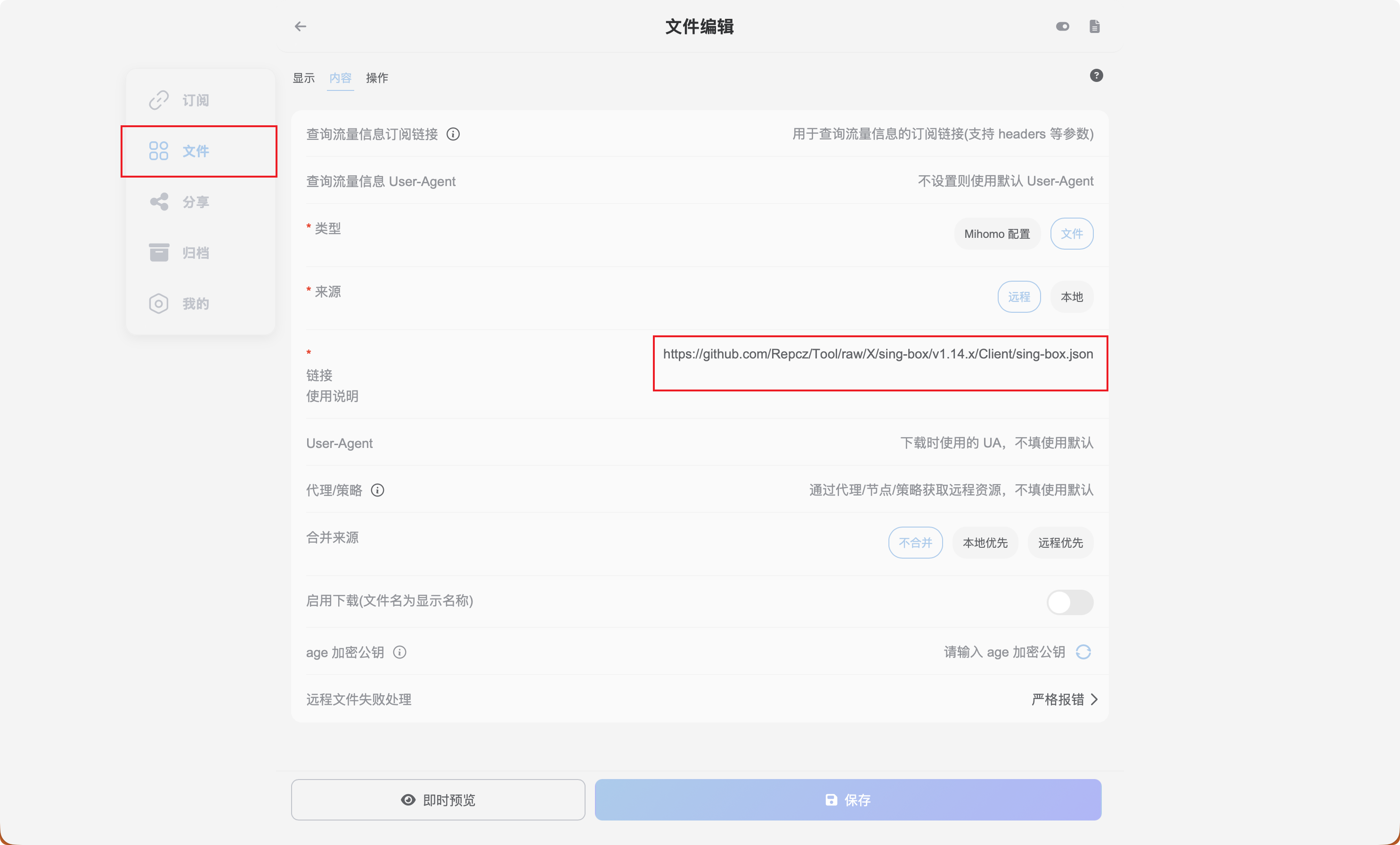
- 添加脚本操作
| https://raw.githubusercontent.com/xream/scripts/main/surge/modules/sub-store-scripts/sing-box/template.js#name=机场名称&outbound=🕳Proxy|Emby|Final🕳ℹ️🇭🇰 HongKong🏷ℹ️港|hk|hongkong|kong kong|🇭🇰🕳ℹ️🇨🇳 Taiwan🏷ℹ️台|tw|taiwan|🇹🇼🕳ℹ️🇯🇵 Japan🏷ℹ️日本|jp|japan|🇯🇵🕳ℹ️🇸🇬 Singapore🏷ℹ️^(?!.*(?:us)).*(新|sg|singapore|🇸🇬)🕳ℹ️🇺🇸 United States🏷ℹ️美|us|unitedstates|united states|🇺🇸
|
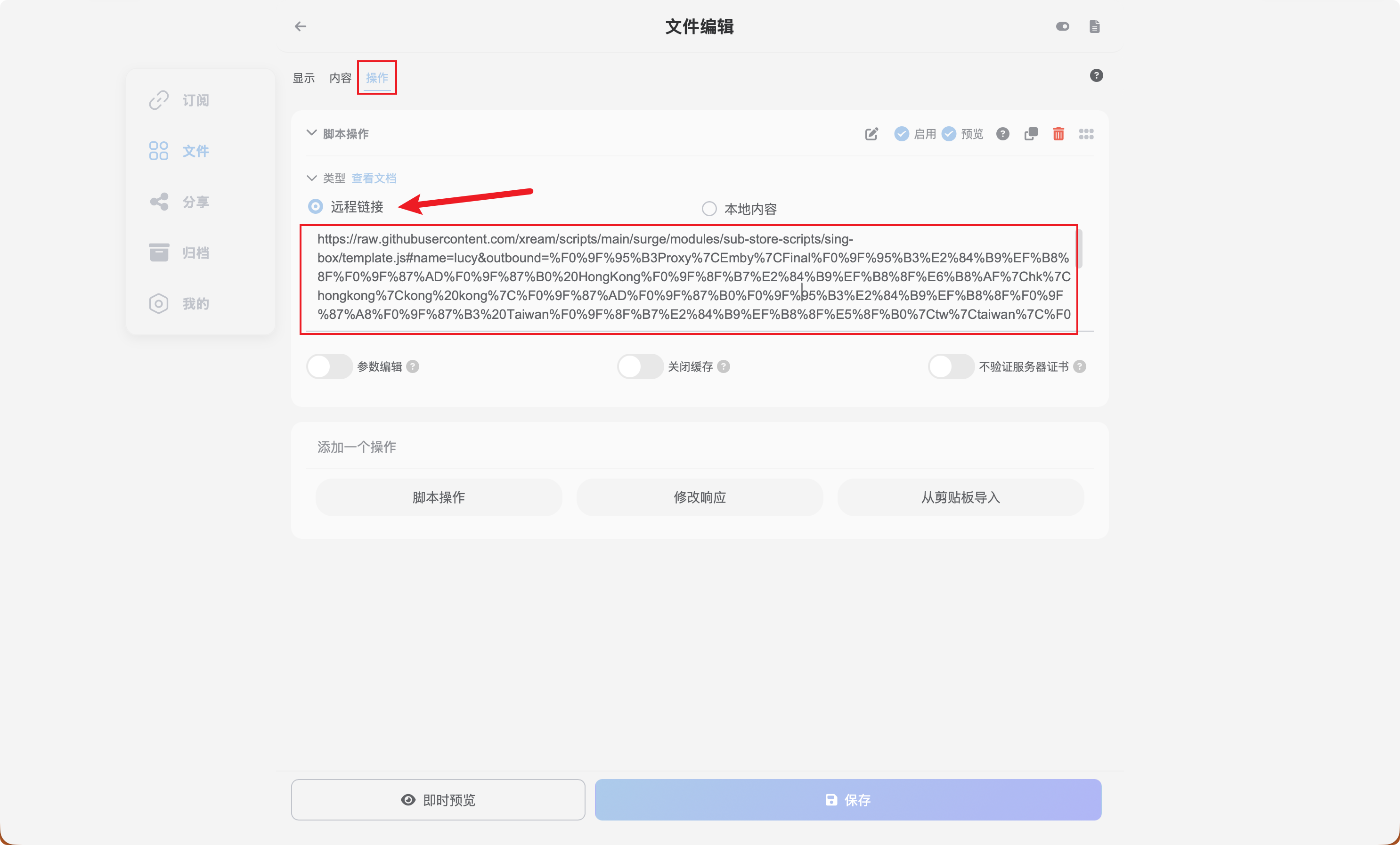
文件导出后即可作为客户端配置文件使用
更多可参考 脚本操作
sing-box Dashboard is a new web client for the API service, providing almost the same experience as the graphical clients. A public instance is available at http://sing-box-dashboard.sagernet.org (shortcut: dash.sing-box.app).
内核启动后可以进入 http://sing-box-dashboard.sagernet.org,后端填写127.0.0.1,端口9091,无密码
如需修改,可自定义以下内容对应的listen、listen_port、secret
| "services": [
{
"type": "api",
"tag": "sing-box dashboard",
"listen": "127.0.0.1",
"listen_port": 9091,
"secret": "",
"access_control_allow_origin": [
"http://sing-box-dashboard.sagernet.org",
"http://dash.sing-box.app"
],
"access_control_allow_private_network": true
}
],
|